The global music streaming market is projected to reach $108.39 billion by 2030, growing at a CAGR of 14.9% according to Grand View Research (2025). Spotify alone now serves 751 million monthly active users as of Q4 2025, with 290 million paying premium subscribers.
Apple Music and YouTube Music are fighting hard for second. And yet, there is still significant room for new players, niche platforms, and regional apps to carve out loyal audiences.
But here’s what most entrepreneurs miss: it’s not the idea of building a streaming app that determines success. It’s the features you choose to build, and how well you build them.
If you’re a startup founder, CTO, or product manager planning to build a music streaming app like Spotify, this guide walks you through every feature that actually matters, core, advanced, and admin-side, plus how those features impact your development cost of a music streaming app and timeline.
Music streaming is a retention business. Users sign up easily. Keeping them is the hard part. And what keeps them? Discovering a song they love at the right moment.
A playlist that feels made just for them. An app that works seamlessly on their phone, laptop, and car without missing a beat.
Every feature you build is either adding to that experience or pulling resources away from what actually matters. The apps that win understand this clearly.
Spotify didn’t win because it had more songs than iTunes. It won because it made music discovery feel effortless and personal. That’s a feature decision, not a content decision.
So when you’re planning your audio streaming app development, think about features not as checkboxes but as experiences you’re promising your users.
These are the foundational features without which your app simply doesn’t function. They’re non-negotiable for any mobile app development company worth working with.
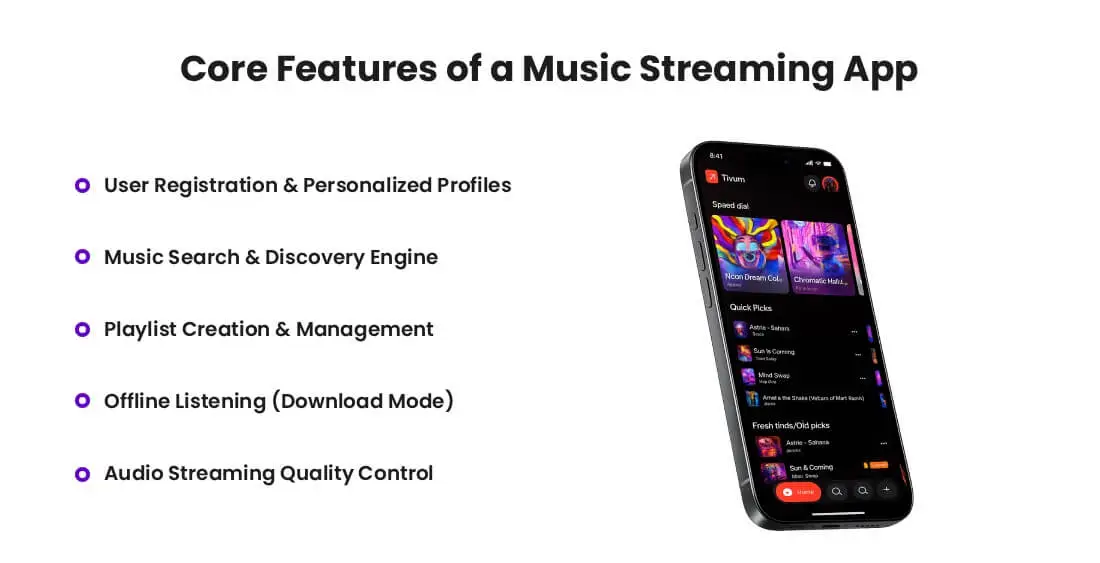
Simple, fast onboarding is the first impression. Users should be able to sign up via email, phone, Google, or Apple ID ideally in under 60 seconds. Once inside, their profile becomes the engine that powers everything else: listening history, saved tracks, followed artists, and preferences.
The insight most teams miss: Profile data isn’t just for personalization. It’s the foundation of your recommendation engine. The richer the profile data, the smarter your AI gets over time.
Your search must be intelligent, not just functional. Users should find songs by title, artist, album, mood, genre, lyrics, or even a humming input (like Shazam does). Auto-suggestions, typo tolerance, and recent search history all contribute to a smooth experience.
Discovery goes beyond search, it’s the Browse section, trending charts, new releases, and curated editorial playlists. This is where users stumble upon music they didn’t know they needed.
This is the most-used feature in nearly every streaming app. Users want to create playlists quickly, name them, arrange tracks, and share them. Allow collaborative playlists where friends can add to a shared queue together.
Make the drag-and-drop interface feel native and effortless. Small UX wins here create massive loyalty over time.
Offline playback is not a premium perk anymore, it’s a user expectation. Whether someone is on a flight, in a subway tunnel, or hitting a data cap, they expect their saved music to play without a network connection.
Technically, this requires careful DRM (Digital Rights Management) implementation to protect licensed content. The encryption and license management behind this feature are more complex than it appears.
Give users control over streaming bitrate, low for data saving, high or lossless for audiophiles. With lossless and spatial audio becoming mainstream (thanks to Apple Music and Tidal), supporting high-fidelity formats like FLAC or Dolby Atmos is increasingly a competitive necessity.
This is where your music streaming app development investment really starts to pay off. Advanced features drive premium subscriptions, word-of-mouth, and long-term retention.
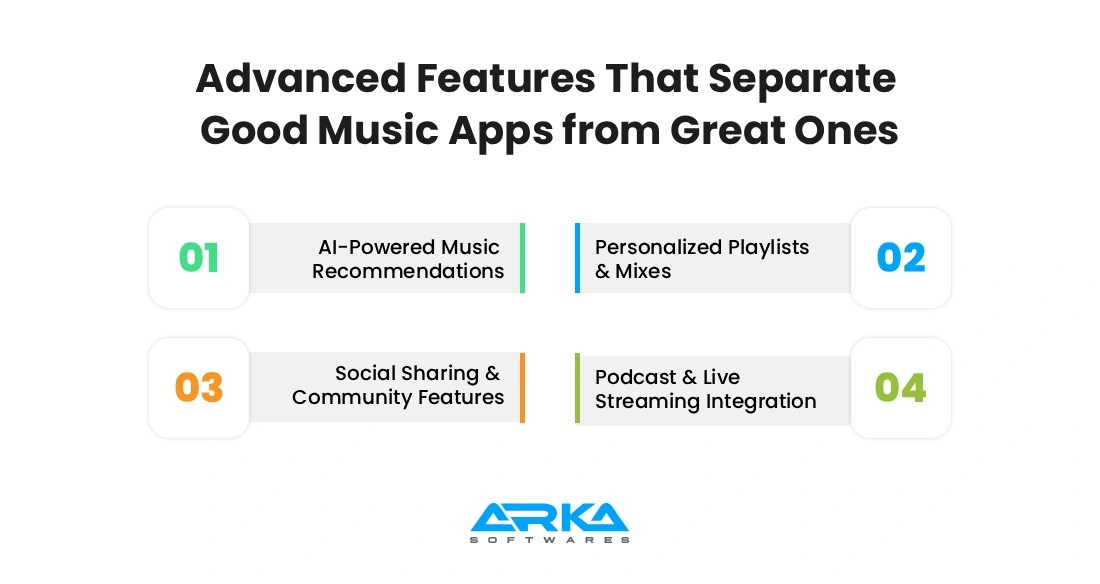
This is the single most impactful feature in any modern streaming app. Using collaborative filtering, content-based filtering, and deep learning models, your app can serve hyper-personalized track suggestions based on listening patterns, time of day, skip rates, and even the user’s inferred mood.
Spotify’s Discover Weekly is famously driven by this technology and it’s the reason millions of users return every Monday. Building this well requires solid data infrastructure and an experienced ML team, but the retention ROI is enormous.
Beyond one-off recommendations, generate automated playlists like “Your Daily Mix,” “Time Capsule,” or “Recently Played Radio.” These feel alive they update, they evolve with the user’s taste, and they create a sense that the app genuinely knows them.
Music is inherently social. Let users share what they’re listening to on Instagram Stories, WhatsApp, or X (Twitter). Show activity feeds where friends can see each other’s recent plays or new playlist drops.
A group session or “listening together” feature turns the app from a solo experience into a shared one dramatically increasing engagement and organic user acquisition.
The lines between music and spoken-word audio have blurred completely. Integrate podcast hosting and playback natively, with speed controls, chapter markers, and sleep timers. Users don’t want to switch apps between a podcast and an album.
Live streaming for concert events, artist Q&As, or exclusive listening parties adds a real-time layer that creates urgency and drives users to open the app outside their normal routine.
A user starts a playlist on their phone during their commute, continues on a laptop at work, then picks it up on a smart speaker at home. This handoff should be invisible and instant.
Multi-device sync requires real-time session state management across platforms. It’s technically demanding, but users only notice it when it’s missing.

The public-facing app is only half the product. A robust admin panel is what makes your platform manageable and scalable.
1. Content Management System (CMS): Your team needs tools to upload, categorize, tag, and manage the music library including artist profiles, album artwork, metadata, and licensing information. A good Content Management System reduces operational overhead significantly as the library grows.
2. User Analytics Dashboard: Track DAUs, MAUs, churn rates, most-played tracks, subscription conversion funnels, and geographic data. This isn’t just reporting it’s the feedback loop that tells your product team what to build next.
3. Subscription & Payment Control: Manage free vs. premium tiers, discount codes, trial periods, and regional pricing from a single interface.
4. Integrate multiple payment gateways: Stripe, PayPal, Razorpay for regional markets and ensure your admin team can handle billing disputes without engineering support.
Building features that work for 1,000 users is easy. Building features that still work for 10 million users without re-architecting everything is the real engineering challenge.
1. Cloud Infrastructure (AWS / GCP / Azure): Design for horizontal scaling from day one. Use a microservices architecture so individual components (search, recommendations, playback) can scale independently based on demand spikes.
2. Content Delivery Network (CDN): Audio files are large. Serving them fast to users in Lagos, London, and Los Angeles requires a global CDN like Cloudflare or AWS CloudFront. Without this, buffering becomes your user’s most common experience and that’s unforgivable.
3. Data Security & DRM: You’re handling payment data, personal profiles, and licensed content three categories with serious legal and reputational risk if mishandled. Build with end-to-end encryption, GDPR/CCPA compliance, and a proper DRM layer like Widevine or FairPlay from the start.
Feature decisions are budget decisions. Here’s a direct breakdown of how features affect your music app development cost:
| Features | Basic Tier | Advanced Tier |
| User Auth & Profiles | $3,000–$6,000 | $8,000–$15,000 |
| Music Search & Discovery | $5,000–$10,000 | $20,000–$40,000 |
| AI Recommendation Engine | N/A (basic only) | $20,000–$50,000+ |
| Offline Listening (DRM) | $10,000–$18,000 | $25,000–$40,000 |
| Live Streaming | N/A | $15,000–$35,000 |
| Admin Panel | $8,000–$12,000 | $20,000–$35,000 |
| Total Estimated Range | $40,000–$80,000 | $120,000–$250,000+ |
Don’t try to build everything in v1. Prioritize features that solve your users’ most pressing needs, validate the market, then layer advanced features in subsequent releases. This approach saves money and gets you to market faster.
With so many options, how do you decide what to build first? Here’s a framework that works:
▸ Start with your user persona. A niche platform for jazz enthusiasts needs different features than a general-purpose streaming app.
▸ Map features to your monetization model. If revenue comes from subscriptions, offline listening and ad-free experience are your conversion levers.
▸ Run a feature priority matrix. Score each feature on user value vs. development complexity. High-value, low-complexity features go into v1.
▸ Talk to potential users before you build. Even 20 user interviews can reshape your feature priorities entirely and save months of wasted development.
Building a music streaming app is a technically sophisticated project. You’re dealing with audio codec optimization, real-time sync, licensing compliance, AI models in music apps, and high-availability infrastructure all at once.
Working with an experienced music streaming app development company can help you choose the right features and avoid costly mistakes. The right partner doesn’t just write code they help you think through architecture decisions that affect your app’s performance, scalability, and long-term maintenance costs.
Look for a team that has built OTT or audio streaming platforms before, understands DRM and content licensing workflows, and can show you concrete examples of recommendation systems or social features they’ve shipped.
The music streaming market is competitive but it’s not closed. There is real space for apps that serve underserved audiences, bring a fresh user experience, or dominate in specific geographies or genres.
What separates the apps that break through from the ones that don’t isn’t budget alone. It’s how thoughtfully the product is designed which features are chosen, how deeply they’re built, and how well they serve a real user need.
Use this guide as your feature blueprint. Be honest about your budget. Prioritize ruthlessly. And partner with a team that understands both the technical complexity and the user psychology of music streaming.
The best music apps don’t just play music. They make people feel something. Build for that.
Core must-haves: user profiles, search & discovery, playlist creation, offline listening, and quality control. Advanced features like AI recommendations, social sharing, multi-device sync, and podcasts drive long-term retention.
AI recommendation engines analyze listening history, skip patterns, time of day, and user-generated playlists to predict what a listener wants to hear next. Collaborative filtering, which identifies patterns across millions of users with similar tastes, is the most widely used technique, often combined with content-based filtering that analyzes the audio characteristics of songs directly.
Offline listening relies on encrypted local storage. When a user downloads a track, it is saved in a DRM-protected format that can only be played within the app and is tied to an active subscription. If the subscription lapses, the downloaded files become inaccessible. This protects rights holders while still giving users the flexibility to listen without an internet connection.
Yes. You need mechanical licenses and public performance rights from rights holders or collecting societies (ASCAP, BMI, PRS). Many startups use licensing aggregators or white-label catalogs to simplify this in the early stages.
A well-designed user panel should cover account management (profile setup, subscription plan, payment history), personalized library (liked songs, albums, artists, and custom playlists), listening history and activity, notification preferences, and device management for multi-device sync. Download settings for offline listening and accessibility options like equalizer controls and sleep timers are also increasingly expected by users in 2026.
The admin panel is the operational backbone of the platform. It typically handles user account management, content moderation, artist and label onboarding, licensing and royalty tracking, subscription and billing management, and platform-wide analytics. A well-built admin panel gives non-technical teams full control over the platform without requiring engineering involvement for routine tasks.
Admins can flag, review, and remove content that violates platform policies such as unauthorized uploads, explicit content in restricted zones, or copyright disputes. Most platforms combine automated detection (using audio fingerprinting tools like AudD or ACRCloud) with a manual review queue for edge cases. The admin panel surfaces flagged content in a dedicated moderation dashboard so teams can act quickly without combing through the entire catalog.


Jeeto11
The app quickly earned over 1,000 downloads within two months of launch, and users have responded positively. ARKA Softwares boasted experienced resources who were happy to share their knowledge with the internal team.

Archithrones
While the development is ongoing, the client is pleased with the work thus far, which has met expectations. ARKA Softwares puts the needs of the client first, remaining open to feedback on their work. Their team is adaptable, responsive, and hard-working.

Service Provider
I started my project with Arka Softwares because it is a reputed company. And when I started working with them for my project, I found out that they have everything essential for my work. The app is still under development and but quite confident and it will turn out to be the best.